KWL Chart: Free Template, a Filled Example and How to Use It Well
What a KWL chart is, how to run each column so it actually drives learning, free KWL, KWHL and KWL+ templates, and a filled science example.
What an anchor chart is, how to build one with your students step by step, and three free templates (PDF and Word) with filled examples for Grade 1 reading, Grade 4 fractions and Grade 7 science.
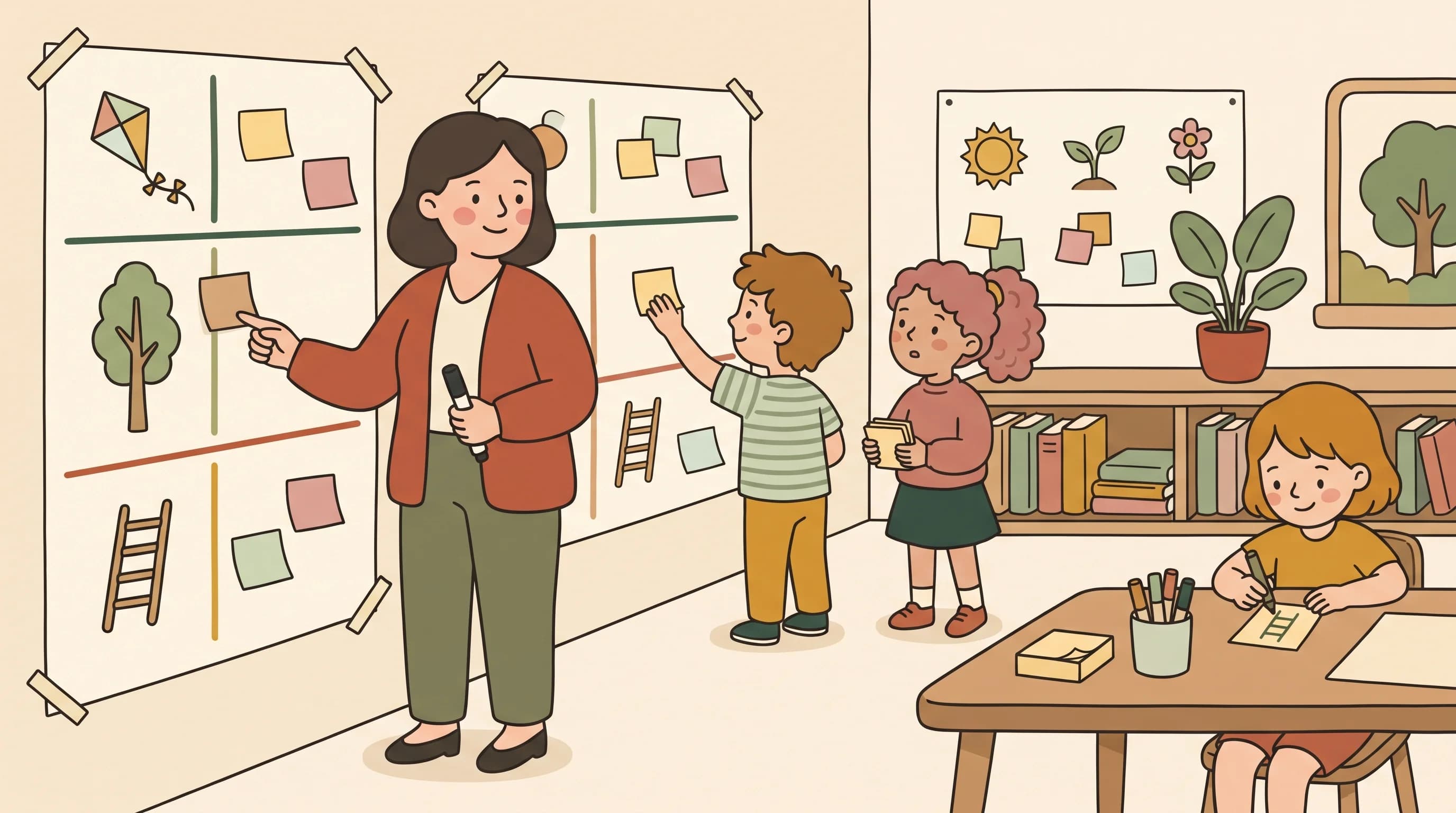
The short answer: An anchor chart is a large poster you build with your students during a lesson, then keep on the wall so they can return to it while they work. It records the key steps, words or examples of what you just taught, in the students’ own words. What makes it an anchor chart, rather than a decorative poster, is that the class creates it together.
Key takeaways
- Build the chart live with the class. A poster you prepare alone is useful, but it is a different tool.
- Keep one purpose per chart, written as its title, and only the words students need to do the task.
- Hang it where students work, point to it during practice, and update it when the class learns more.
- The templates below are frames for building a chart with your class, plus examples of what a finished chart can look like.
Each kit has a blank frame to fill in with your class and a filled example of a finished chart. Every file is US Letter landscape, two pages, with large type so it stays readable printed or projected. No account is needed.
| Kit | Grade and subject | Blank frame | Filled example |
|---|---|---|---|
| How do we retell a story? | Grade 1, reading | PDF · Word | PDF · Word |
| Ways to show a fraction | Grade 4, math | PDF · Word | PDF · Word |
| Claim, Evidence, Reasoning (CER) | Grade 7, science | PDF · Word | PDF · Word |
Project the blank frame while you build the chart on chart paper, or print it as a planning sheet. For Google Docs or Google Classroom, upload the Word file to Google Drive and open it with Google Docs.

Colorín Colorado, the bilingual educator site run by WETA, describes anchor charts as posters that students co-create with their teacher to give a visual support that stays in the room (Colorín Colorado, “Anchor Charts”). Two ideas from that description matter in practice:
The same page notes that anchor charts can support academic language, including for English learners, for example by letting partners talk before sharing or by adding key terms in students’ home languages.
Tip: Let students talk in pairs before you collect ideas. You get more answers, and quieter students have something ready to say.
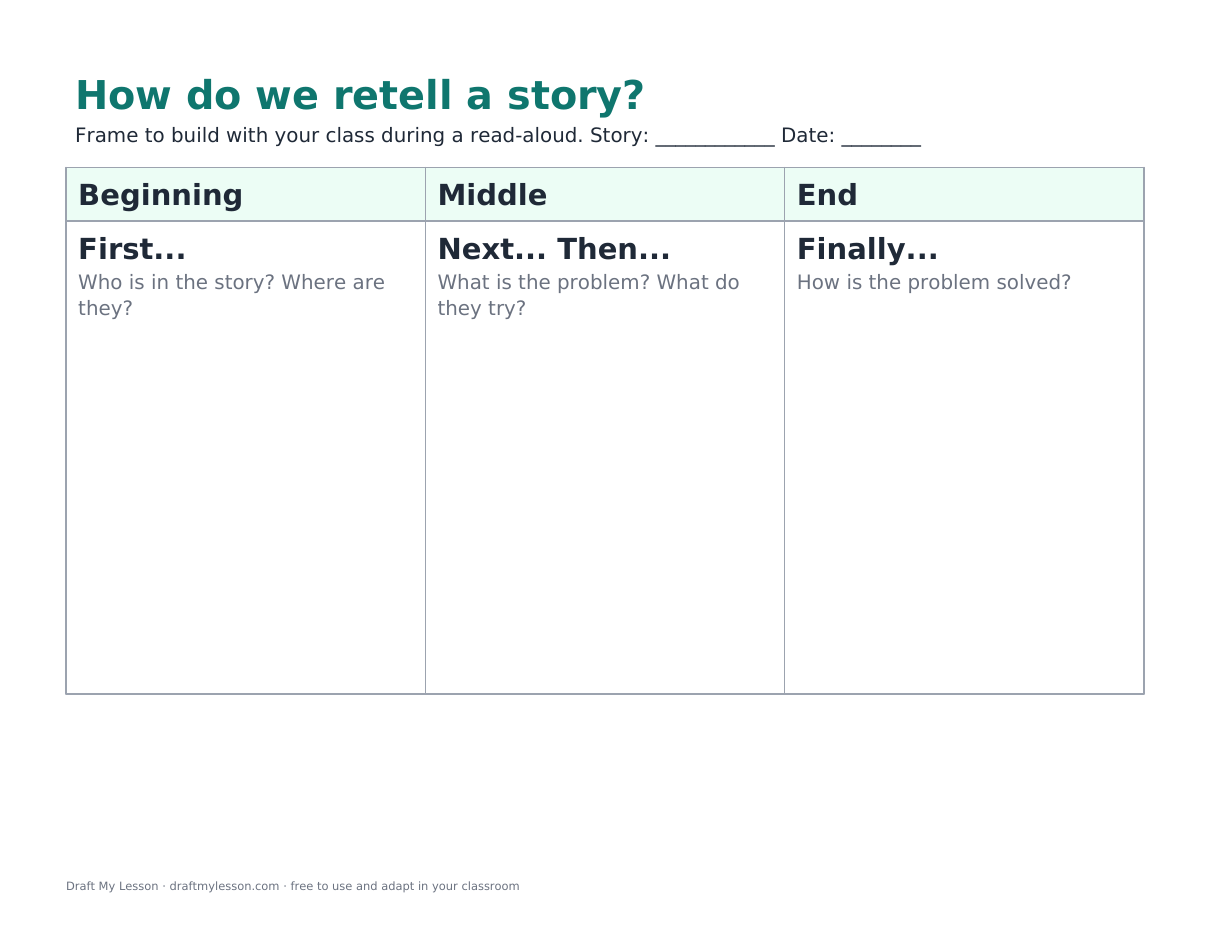
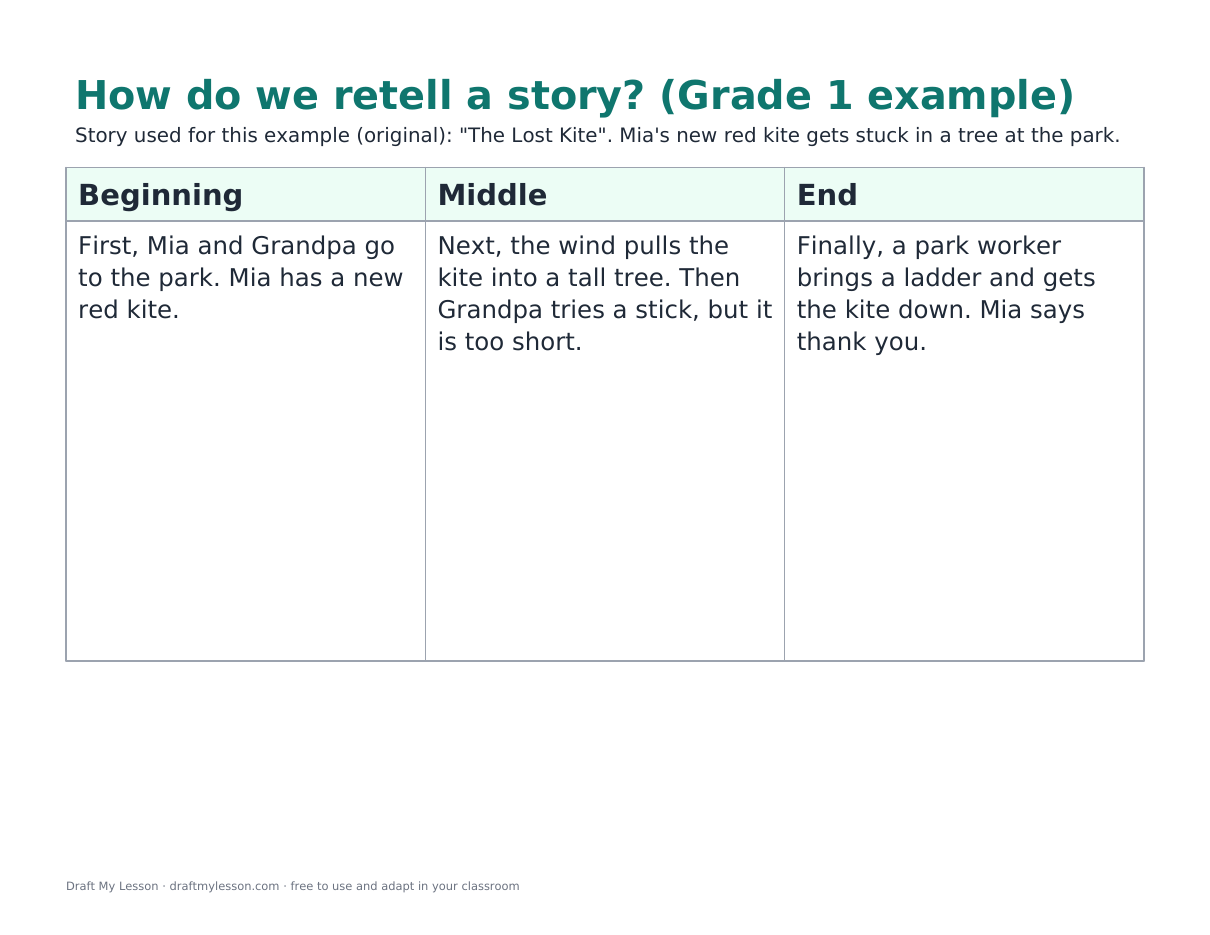
The class retells an original read-aloud, “The Lost Kite”: Mia’s new red kite gets stuck in a tall tree, Grandpa’s stick is too short, and a park worker brings a ladder. The chart has three parts, Beginning, Middle and End, each starting with a retelling word: first, next and then, finally. Page 2 holds the picture clues students draw, so children who cannot read every word can still use the chart.
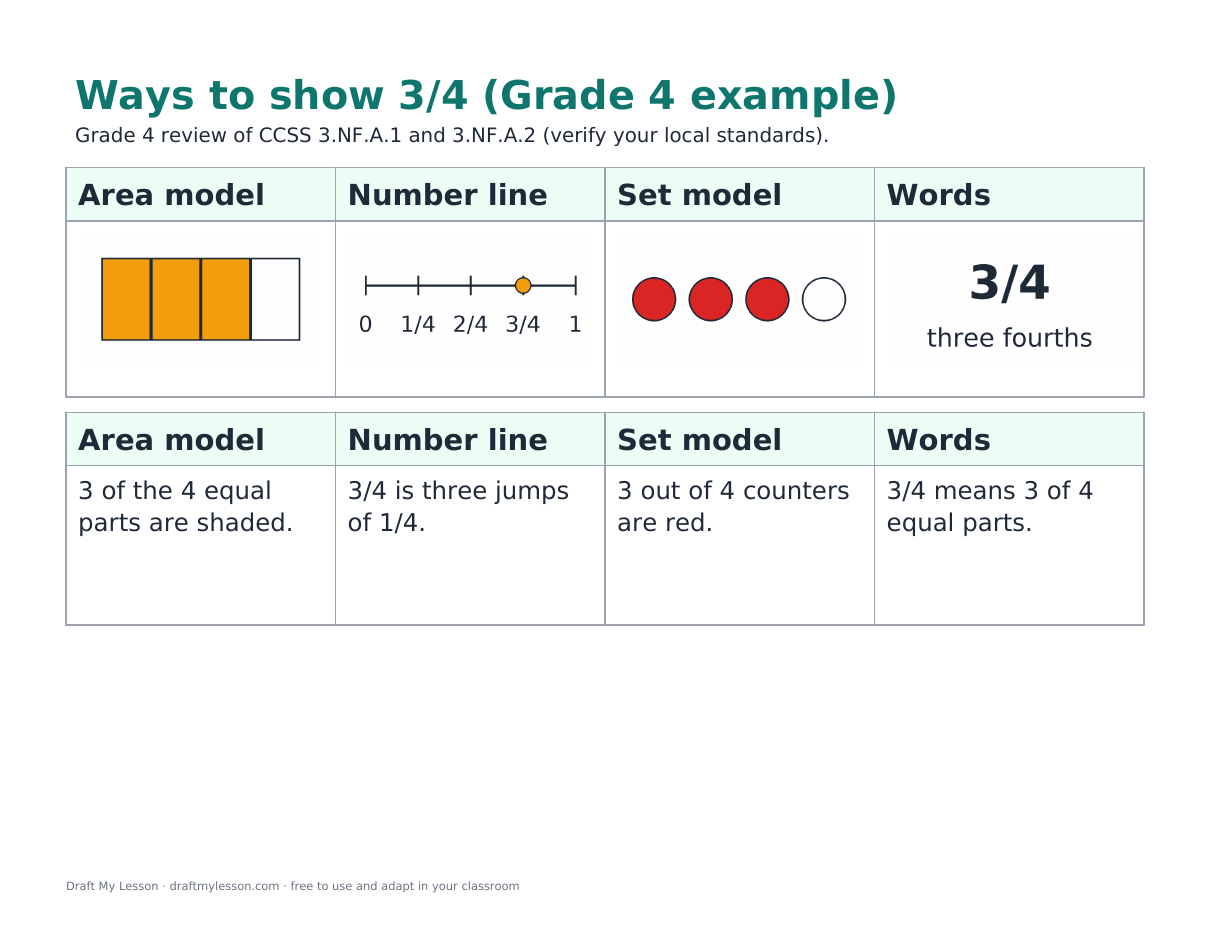
One fraction, four representations: an area model, a number line, a set model and words. In the example, 3/4 is a rectangle with 3 of 4 equal parts shaded, the third mark on a number line split into fourths, 3 red counters out of 4, and “three fourths”. A check box asks the questions that matter most: are the parts equal, and what do the denominator and the numerator tell us?
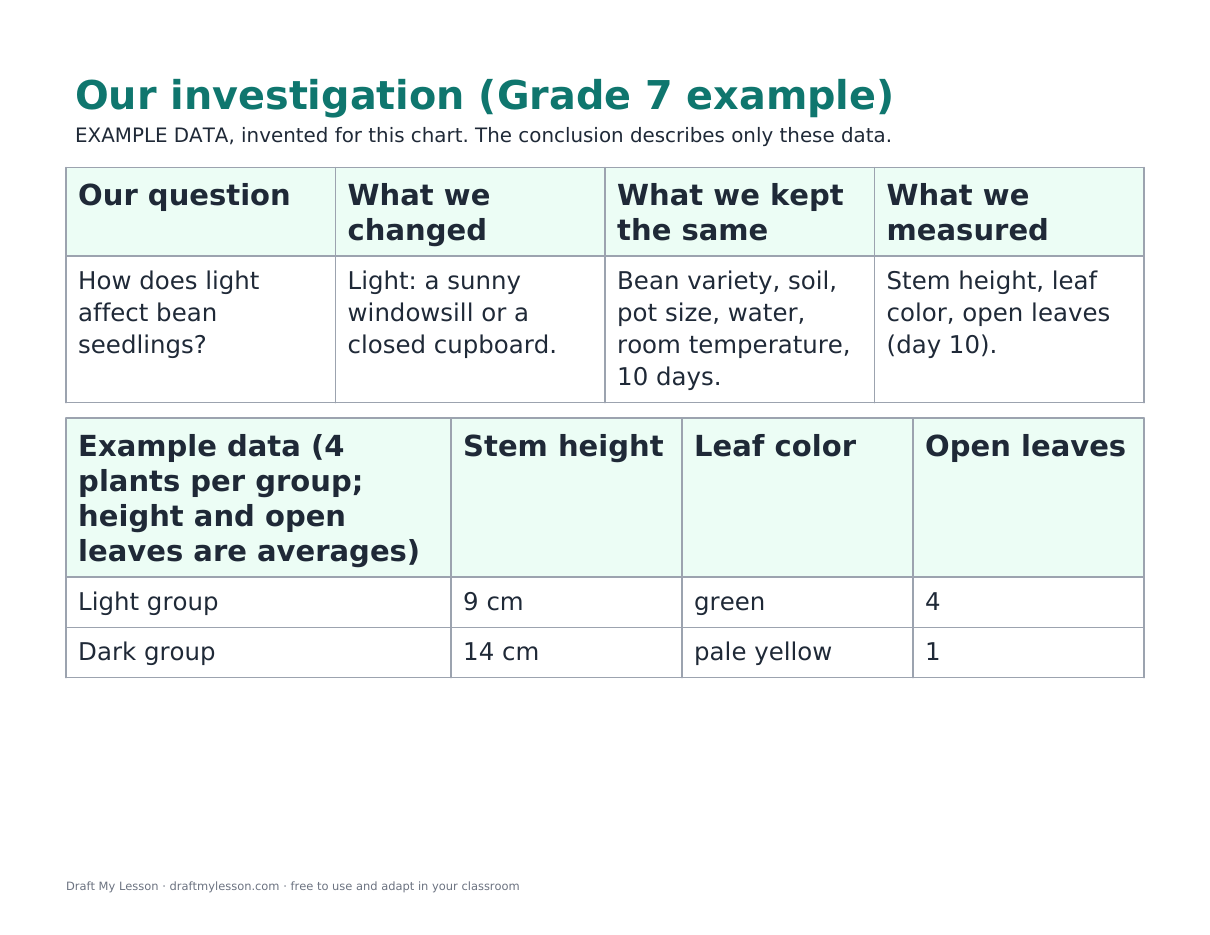
First the class records the investigation: the question, what was changed, what was kept the same and what was measured. Then it writes the CER. The example uses invented data from bean seedlings grown on a windowsill or in a closed cupboard for 10 days. In these example data, the seedlings in the dark were taller but pale, with fewer open leaves. The reasoning shows students that height alone did not tell them which group grew better here, and it names a limit: only 4 plants per group.
| Tool | What it is | Who fills it in | Use it to |
|---|---|---|---|
| Anchor chart | A shared reference poster built during the lesson and kept on the wall | The whole class, with the teacher | Keep steps, words or examples visible during practice |
| KWL chart | A three-column organizer: what I know, want to know, learned | A student or the class | Activate prior knowledge before a unit and check learning after it |
| Frayer model | A four-square organizer for one concept | Each student | Teach and check a key vocabulary word |
You can combine them: a KWL chart opens a unit, a Frayer model fixes a key term, and an anchor chart keeps the method in view while students practice.

What is an anchor chart?
A poster that the teacher and students build together during a lesson to record a strategy, a process or key vocabulary. It stays in the classroom so students can use it later.
Where can I print anchor charts?
Use the free PDF and Word files above. They are frames and examples on US Letter paper. For a classroom-size chart, copy the frame onto chart paper with your class, or print the PDF at a larger size if your printer supports it.
How do anchor charts help students?
They keep the key ideas of a lesson visible after the explanation ends, so students can check a step on their own. Building the chart together also gives students a reason to put the ideas into words.
Can I make an anchor chart for older students?
Yes. The Grade 7 CER example is one. With older students, keep the language precise and let them propose and check each part of the chart.
An anchor chart supports a lesson; it does not replace the plan. Use a free lesson plan template to plan when the class builds the chart and how students practice with it, then create the practice task with the worksheet generator. To draft complete, editable lesson plans with objectives, activities and an assessment, create a free Draft My Lesson account. Review every draft before teaching.
Blog