Teacher Planner: What to Track (and What to Skip) to Stay Sane
Most teacher planners are either too empty or too full. Here is the lean, four-section teacher planner that actually keeps you sane through the year.
Draft My Lesson Team
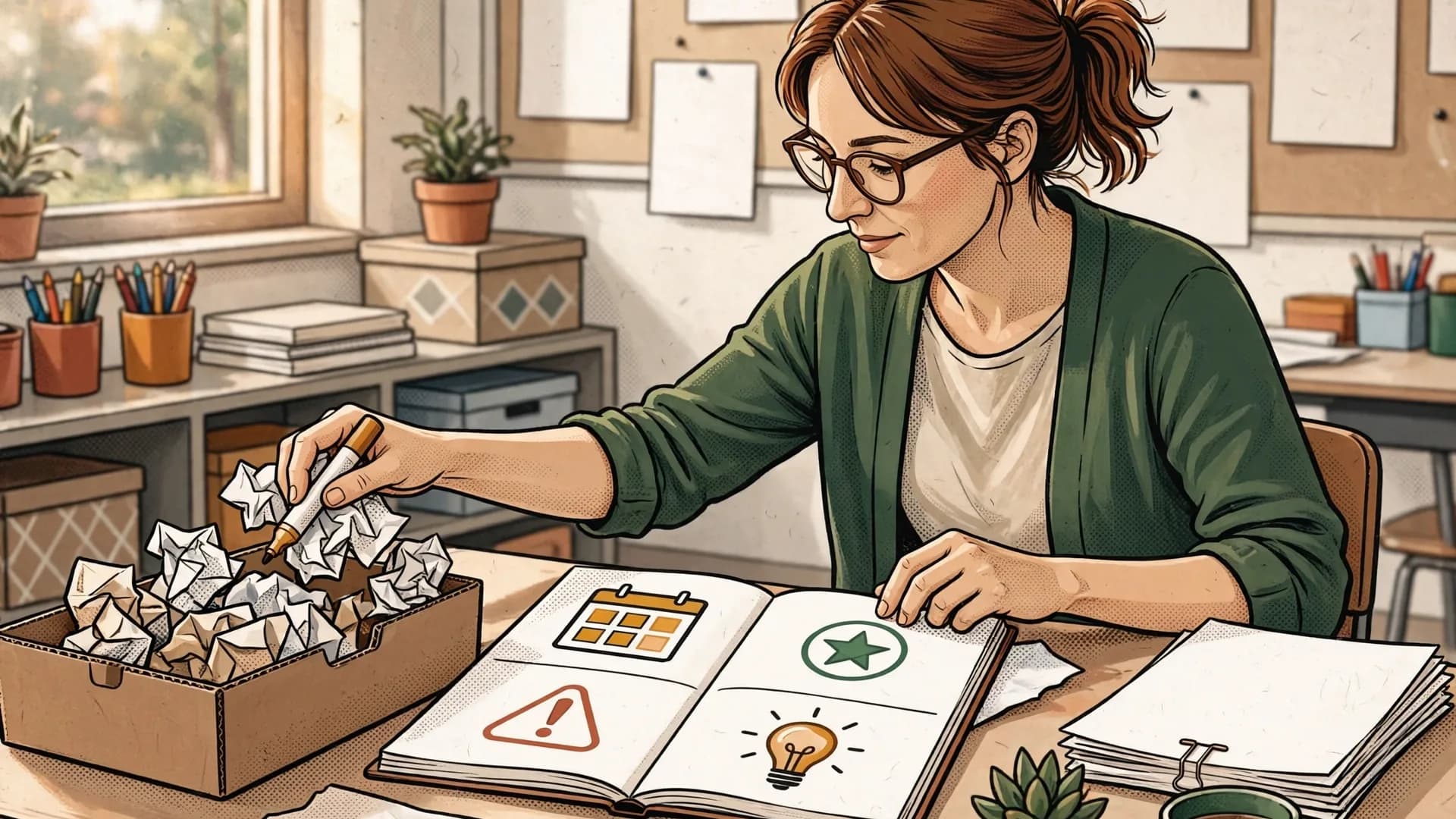
The post-it drawer
You know the drawer. Top right of your desk, or maybe the second one down. It is full of post-its, half-folded sub plans from October, a reminder about a parent who emailed three weeks ago, the seating chart from before you moved Marcus, and a sticky note that just says "Aiden math???" in red pen.
You meant to put all of this somewhere. You bought a planner in August. It has gold foil on the cover and a habit tracker for "drink water." You wrote in it for two weeks. Then a fire drill happened and you never went back.
If you are nodding right now, you are in the majority. Most teachers fall into one of two camps: the post-it drawer (no system at all) or the maximalist planner (every box filled, every page color-coded, and zero of it ever re-read). Neither one helps you. A useful teacher planner is small enough to actually maintain and structured enough that future-you can find what past-you wrote. That is the whole game.
Key takeaways
- Four sections beat fifty. Weekly plan, assessments, incidents, ideas. Anything else is busywork.
- The planner is downstream. Lesson plans live in your files, standards live in your unit map, scores live in your gradebook.
- Dated, factual incident notes protect you and the student. Treat the section like a captain's log.
- Consistency beats the medium. A scruffy paper planner you actually open on Sunday will outperform any app you abandon in October.

The 4 essential sections
Here is the spine of a teacher planner that survives the year. Four sections. That is it.
1. Weekly plan (one page, one week). A bird's-eye view of the week. Not your detailed lesson plans. The headlines: what unit each class is in, what is due, what is being assessed, what meetings or duties land where, and any "do not forget" items (field trip permission slips, IEP review on Thursday, picture day). One page. If it does not fit on one page, you are tracking too much.
2. Assessments. Grades belong in your gradebook, but a planner section for assessments captures what the gradebook misses: the qualitative observations. "Sofia finally read aloud without prompting." "Whole class struggled with mixed numbers, reteach Tuesday." "Bottom third of period 4 cannot annotate yet." This is the section your future self will thank you for at report-card time and at parent-teacher conferences. For the underlying logic on formative checks that actually move learning, the Education Endowment Foundation guidance on feedback is a useful anchor.
3. Incidents. Behavior notes, family contacts, and anything you might need a paper trail for. Always with dates. "Tuesday 9/12: Marcus refused to start work, redirected twice, spoke with him after class. He says he did not eat breakfast." "Friday 9/15: Called Marcus's grandmother, left voicemail." When something escalates four months from now and admin asks "have you documented this?", you have an answer. This section also protects you. Treat it like a captain's log: short, factual, dated.
4. Ideas and reflections. What worked. What flopped. What you want to try next year. The exit ticket idea you had in the parking lot. The realization that your warm-ups need to be three minutes shorter. The reminder to never again do a paint project the period before lunch. This is the section that compounds. Year one it is messy. Year three it is gold.
That is it. Four sections. Weekly plan, assessments, incidents, ideas. If your planner has more than that, you are not running a planner, you are running a second job.
A cadence you can actually keep
If you are wondering how often each section earns a touch, here is the working rhythm. Match the cadence to the purpose and you stop overwriting useless boxes.
| Category | Frequency | Purpose |
|---|---|---|
| Weekly plan | Once on Sunday | Map the week at a glance, surface "do not forget" items |
| Assessments | After each lesson | Capture qualitative signal the gradebook cannot hold |
| Incidents | Same day, dated | Build a factual paper trail for behavior, family contact, safeguarding |
| Ideas | When it strikes | Bank tweaks for next week, next unit, next year |
What you DON'T need (stop copying it)
Here is the part nobody tells you: a lot of what people put in their planners does not belong there. Cut it.
Do not copy your detailed lesson plans into your planner. Your lesson plans live in your unit binder, your Google Drive, your district platform, or your AI lesson-planning tool. They are already written down somewhere. Re-writing them in cute handwriting in a paper planner is not planning, it is busywork dressed up as productivity. Your weekly page should reference the lesson ("Tuesday: Photosynthesis lab, see Unit 3 folder"), not reproduce it.
Do not track standards alignment in the planner. That belongs in your unit map. If you copy every CCSS or NGSS code into your weekly view, you have built a beautiful nothing. Standards live upstream, at the unit level. The planner is downstream.
Do not write notes you will never re-read. If you are writing something just because the planner has a box for it, leave the box empty. Habit trackers, mood meters, "gratitude of the day" prompts, skip them unless you actually use them. Empty pages are fine. Forced pages are noise.
Do not duplicate your gradebook. Your gradebook has every score. Your planner section on assessments captures the patterns and the qualitative stuff the gradebook cannot hold. They are different tools.
Do not write down things that have a home elsewhere. Calendar invites belong in your calendar. Email follow-ups belong in your inbox. Lesson resources belong in your file system. If something has a better home, send it home and free up your planner for what only the planner can do.
The test for any item: will I look at this again? If the honest answer is no, do not write it down. If the note should change a future lesson, connect it to your lesson-planning workflow instead of leaving it in a separate list. If you want to read other teachers arguing this out across phases and settings, the Tes staff workload threads are a useful source of real examples.
Anatomy of a weekly page
If you want a template you can sketch tonight, here it is. One page. Landscape or portrait, your call.
Header strip (top of page):
- Week of: [date]
- Theme or focus of the week (one sentence): "Push period 4 on annotation, finish unit 3 by Friday."
- Three "do not forget" items, max.
Main grid (the bulk of the page): A simple table. Rows are your class periods (or subjects, if you are elementary). Columns are Monday through Friday. In each cell, write the headline only:
- Unit and lesson title ("U3 L4: Photosynthesis lab")
- Anything being collected or assessed ("Lab report due")
- Anything unusual ("Sub for last period, assembly")
That is it for the grid. No detailed objectives, no sentence stems, no procedures. The grid is a map, not the territory.
Right margin or bottom strip:
- This week's assessments (1-2 lines per class)
- Incidents log (date + name + 5-word note, expand in the incidents section if needed)
- One reflection prompt at end of week: "What worked? What did not?"
If you fill that page each Sunday in 20 minutes, you have a working teacher planner. Not a beautiful planner. A working one. There is a difference, and the difference is whether you still use it in March.
Paper vs digital: the honest take
Paper or digital? Both work. Here is the actual tradeoff.
Paper wins on:
- Speed of capture (no app to open, no battery)
- Memory (writing by hand encodes better, this is reasonably well established)
- Boundaries (your planner closes when the school day ends)
- Joy, if that matters to you (and it kind of does, this is a long year)
Digital wins on:
- Search (find every mention of "Marcus" in two seconds)
- Templates (copy last year's week, edit, done)
- Sharing (co-teachers, coaches, admin)
- Backup (your planner cannot be left on a bus)
Pick the one you will actually open on a Sunday afternoon. Consistency beats the medium every single time. The teacher with a beat-up paper planner she has used for nine years is more organized than the teacher with three productivity apps and seven half-started Notion templates. The OECD TALIS findings on teacher working time keep landing in the same place: the hours teachers spend on planning and admin are stubbornly high, and tools only help when they actually get opened.
If you go paper, pick something with a flexible weekly layout (not a pre-printed grid that forces 7 periods when you have 4). Plan Plus, Erin Condren teacher edition, and the Happy Planner teacher line are common picks across US, UK, AU, CA, and NZ. Or a plain dot grid notebook and your own template. Cheaper, more flexible.
If you go digital, the boring truth is that a single Google Doc per week, with a weekly template, beats most dedicated apps. Notion, OneNote, and Apple Notes also work. Whatever you pick, make sure incidents are searchable and assessments live near your gradebook.
The trap to avoid: switching systems mid-year. If your January planner does not match your September planner, you will lose the through-line on every student you have been documenting. Pick a system in August. Use it badly for two weeks. Then iterate. Do not start over.
Your planner is your external memory
Here is the reframe that makes all of this stick. Your planner is not a productivity prop. It is your external memory. You see 120 to 180 students a week. You cannot remember what Marcus said on October 14, what worked in the photosynthesis lab last spring, or which exit ticket format gave you the cleanest signal. Your planner can.
The teacher planner that survives the year is small, structured, and re-read. Four sections: weekly plan, assessments, incidents, ideas. Skip everything else. Put detailed lesson plans where they belong (in your files), put schedules where they belong (in your calendar), and let the planner do the one thing only the planner can do: hold the small, important, dated observations that will save you in March, in June, and in the conversation you will have with a parent or a principal that you cannot predict yet.
Buy or open the planner this weekend. Set up the four sections. Spend 20 minutes Sunday filling out next week's page. Do it badly. Do it again the Sunday after. By October, it will feel like a third hand.
The post-it drawer is fine for some things. Lunch orders. The kid who left their Chromebook charger. But your year deserves better than a drawer.
Draft My Lesson is the AI-powered lesson-planning tool built for English-speaking K-12 teachers. Plan your lessons in minutes and spend more time on what matters. Try it free.
Related articles
5 Time-Saving Strategies Every Teacher Needs
Compare five ways to organize planning, marking and resources. Use a time log and one measured trial to find what helps in your own teaching week.
Read articleFirst Week of School: What to Prep (and What Not To)
The first week of school sets the tone for the entire year. Here's what actually matters during those first five days, and what you can safely skip.
Read articleHow to Create Effective Lesson Plans with AI
A practical workflow for drafting lesson plans with AI, checking the output, adapting it to your class, and knowing which decisions still belong to you.
Read articleChatGPT for Teachers: 12 Prompts That Save You Hours
ChatGPT for teachers can save real hours, but only if you prompt it well. Here are 12 copy-paste prompts that turn vague AI replies into classroom-ready material.
Read article