Low-Tech Classroom: 12 No-Screen Resources That Engage Students
Twelve no screen activities that wake up tired classrooms, from talking circles to paper escape rooms. Practical, low-prep, and built for K-12 teachers who want balance, not luddism.
Draft My Lesson Team
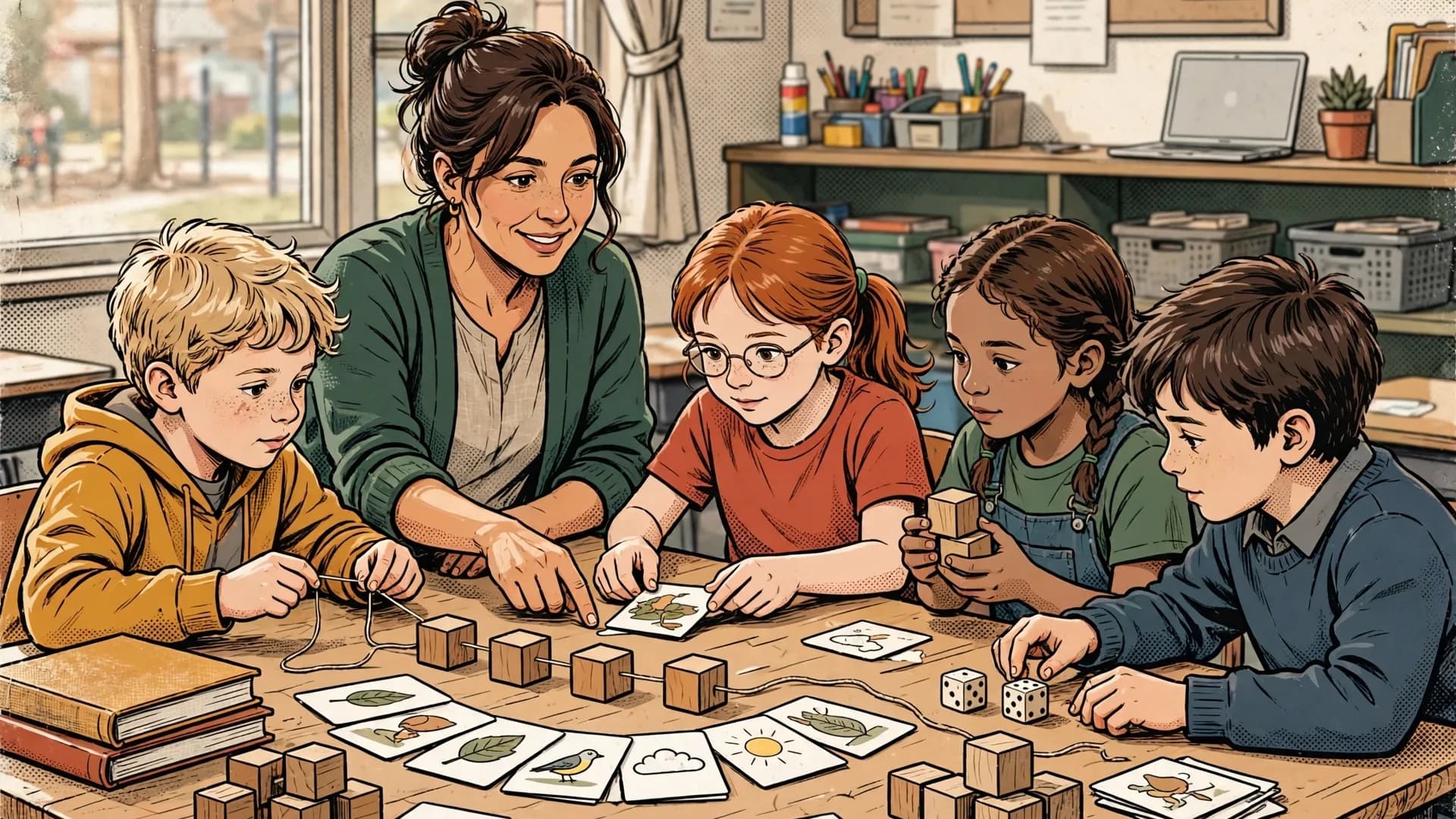
When the Classroom Feels Like a Charging Station
You walk into the room and half the class is already slumped, eyes glassy, thumbs twitching. The other half is loading a tab, closing a tab, opening a tab. You ask a question and three students answer the version of it they imagined while scrolling. Sound familiar?
Teachers across the US, UK, Australia, Canada, and New Zealand are reporting the same thing. Students are saturated. Parents are nervous. Administrators send conflicting signals: more tech, but also more focus, but also more wellbeing, but also more rigor. And you, in the middle, are tired of refereeing notifications instead of teaching.
This article is not anti-screen. Screens have a place. But they have stopped being a place and started being everywhere, and that imbalance is costing you attention, classroom culture, and your own energy. Here are twelve no screen activities for the classroom that bring focus back into the room, with ages, durations, and prep time for each.
<Callout type="info" title="Key takeaways"> - Low-tech is a pedagogical choice, not a moral one: use it when paper does the job better than a screen. - The twelve activities cover review, deeper thinking, collaboration, and complex content processing. - Most resources need 10 to 15 minutes of one-time prep and become reusable assets all year. - Public health bodies like the [World Health Organization](https://www.who.int/news-room/fact-sheets/detail/physical-activity) flag the cost of sedentary screen time for school-age children. - Balance, not luddism: keep screens for what they uniquely enable, and reclaim the rest. </Callout>
Why Come Back to Paper (Sometimes)
Going low-tech is not a moral position. It is a pedagogical one. Three things happen when you put the devices down.
First, attention consolidates. Without push notifications and tab-switching, students hold one thread of thinking longer. That is where real learning happens. The American Academy of Pediatrics has been clear for years that quality of attention, not just quantity of screen time, is what shapes learning.
Second, the social contract changes. Eye contact, voice, pen on paper, the sound of a chair sliding back. These cues build the kind of classroom culture that no learning management system has ever produced.
Third, you get your role back. You are not a tech support agent or a digital traffic cop. You are a teacher in a room with people. That is the job most of us signed up for.
The goal is balance. Use the screen when it adds something a sheet of paper cannot. Use paper when the screen is just adding friction.
<Quote author="Sir Ken Robinson, education researcher"> Education is not the filling of a pail, but the lighting of a fire. </Quote>The 12 Resources
1. DIY Question-Answer Cards
Cut index cards in half. On one side, write a question tied to your current unit. On the other side, write the answer. Students pair up, quiz each other, swap partners every two minutes.
Ages 8 to 18. Duration 15 to 25 minutes. Prep 10 to 15 minutes the first time, then you reuse the deck for years. Works for vocab, dates, formulas, concepts, language, anything that has a clean question and answer pair.
2. Talking Circle With a Talking Stick
Students sit in a circle. Whoever holds the stick speaks. Everyone else listens. The stick passes around the room, no skipping, no interrupting.
Ages 6 to 18. Duration 20 to 30 minutes. Prep 5 minutes (find an actual stick, a smooth stone, anything tactile). Use it for hard topics, post-incident repair, novel discussions, or just a Monday morning check-in. The pace is slower than you think, and that is the point.
3. Collaborative Kraft Paper Mural
Roll out a long sheet of kraft paper across two or three desks pushed together. Students collectively map a topic: a historical period, an ecosystem, a novel's character web, a science process. Markers, sticky notes, drawings.
Ages 7 to 16. Duration 45 to 60 minutes. Prep 10 minutes. The mural becomes a wall display for the rest of the unit, which means students keep referencing their own work.
4. Role Cards for Debate
Print role cards: "skeptic," "historian," "economist," "ethicist," "average citizen in 1925," whatever fits the topic. Each student draws a card and argues from that perspective.
Ages 10 to 18. Duration 30 to 45 minutes. Prep 15 minutes once, reusable forever. Role cards force students out of their default opinions, which is often the only way you get real thinking instead of recycled takes.
5. Classroom Timeline on the Wall
Stretch a long string or strip of tape across one wall. As you cover events, students write them on cards and pin them in chronological order. The timeline grows over weeks.
Ages 8 to 18. Duration 5 to 10 minutes per session, ongoing. Prep 10 minutes for the wall setup. Works for history obviously, but also for novels, scientific discoveries, math concepts building on each other, or even the timeline of a class project.
6. Vocab Bingo
Make bingo cards with vocabulary words instead of numbers. Call out definitions; students mark the matching word. First to five in a row wins.
Ages 6 to 16. Duration 15 to 20 minutes. Prep 15 minutes (or have students fill their own cards from a word bank, which is faster and gives them practice). Excellent for language classes, science vocab, and end-of-unit review.
7. The Question Cube
Take a small cardboard box or build a cube from card stock. On each face write one of: what, when, how, where, why, for what. Students roll the cube to generate questions about a text, a topic, an image, or a peer's project.
Ages 8 to 16. Duration 15 to 25 minutes. Prep 10 minutes the first time, then you have it forever. Surprisingly powerful for getting past surface-level "what happened" questions and into "why does it matter."
8. DIY Escape Room With Combination Locks
Buy two or three cheap combination locks and a lockable box. Hide a small reward (candy, no-homework pass, your call) inside. Build puzzles whose answers are the lock combinations. Students solve in teams.
Ages 9 to 18. Duration 45 to 60 minutes. Prep 30 to 45 minutes the first time, less after. The first time is the heaviest lift on this list, but it pays off: you can rebrand the same locks and box for different units all year. Students remember escape room days for months.
9. Gallery Walk
Students post their work (essays, lab notes, drawings, problem solutions) around the room. Everyone walks, reads, and leaves post-it feedback on each piece. Praise, questions, suggestions.
Ages 8 to 18. Duration 25 to 35 minutes. Prep 5 minutes (just have post-its ready). Peer feedback that students actually read, because it is stuck to their work in a real room rather than buried in an LMS comment thread. The Education Endowment Foundation ranks well-structured feedback among the highest-impact teaching strategies for the time it costs.
10. Silent Discussion
The whole debate happens in writing. Put one big question on a sheet of butcher paper or on the whiteboard. Students take turns writing responses, replying to each other, branching into sub-threads. No talking allowed.
Ages 11 to 18. Duration 20 to 30 minutes. Prep 5 minutes. Brilliant for shy students, brilliant for chaotic groups, brilliant for any topic where you want everyone to think before reacting. The transcript at the end is also a great artifact for assessment.
11. Paragraph Puzzle
Take a paragraph or short text, cut it into sentences (or sentences into clauses), shuffle the strips, and give them to students. They reorder the text and justify their order.
Ages 7 to 16. Duration 15 to 25 minutes. Prep 10 minutes. Works for reading comprehension, logical structure in writing, sequencing in science, and translation work in language classes. The conversation about why one order works better than another is where the learning lives.
12. Analog Kahoot
Each student gets four cards: A, B, C, D. You read the question and the four options aloud. On three, two, one, students raise their card. You scan the room and call out the count.
Ages 6 to 18. Duration 15 to 30 minutes. Prep 10 minutes (cards last all year). All the energy of a quiz game, none of the wifi failures, account problems, or device distractions. You also see who is hesitating, which is information the digital version hides.
How to Choose Which One When
You do not need all twelve. You need the right two or three for what you are teaching this week. A quick decision guide.
If your goal is review, reach for Vocab Bingo, Analog Kahoot, or DIY Question-Answer Cards. They are fast, repeatable, and high-energy.
If your goal is deeper thinking, reach for Silent Discussion, Role Cards, or the Question Cube. They slow students down in a productive way.
If your goal is collaboration and community, reach for the Talking Circle, the Kraft Paper Mural, or the Gallery Walk. They build the room as a group.
If your goal is processing a complex text or concept, reach for the Paragraph Puzzle, the Classroom Timeline, or the DIY Escape Room. They turn passive content into something students wrestle with.
If you want a sharper map of when each format earns its place, the types of assessment guide matches tasks to the evidence you need.
A Last Word on Balance
None of this means you throw the laptops out the window. Some lessons genuinely need a screen: research, video, simulations, accessibility tools, certain creative projects. Use them. But the default does not have to be digital. The default can be a question, a stick, a piece of paper, twenty-five humans in a room.
Students notice when the rhythm changes. They sit differently. They talk differently. They remember what happened in your class instead of which app they had open during it. That is the real outcome you are after, and you do not need a single screen to get there.
Pick one of the twelve. Try it next week. See what happens.
Draft My Lesson is the AI-powered lesson-planning tool built for English-speaking K-12 teachers. Plan your lessons in minutes and spend more time on what matters. Try it free.
Related articles
Service-Learning: Designing Your First Community Project
Service learning blends curriculum with real community needs. Here is how to design your first four-week project without confusing it with volunteering.
Read articleProject-Based Learning: Designing Your First PBL Unit, Step by Step
A practical guide to designing your first project based learning unit without the usual flops. Real structure, a real example, and the pitfalls to avoid.
Read articleInteractive Whiteboard: 9 Activities That Actually Engage Students
Most classrooms use the interactive whiteboard like a glorified projector. Here are nine activities that actually use the touch, the drag, and the room.
Read articleEmotional Intelligence in the Classroom: Activities by Age
Concrete activities to teach emotional intelligence in your classroom, sorted by age band. Short, repeatable, and designed to fit a real teaching week.
Read article